

Free Download MiniTool ShadowMaker 4.8.1 for Windows. Take system backups, disk cloning, file synchronization and data restoration easily using this amazing backup utility.
MiniTool ShadowMaker 4.8.1 Download for Windows – Complete Review
Download MiniTool ShadowMaker 4.8.1 for free. Compatible with Windows 11, 10, 8, and 7. This utility will allow you to.
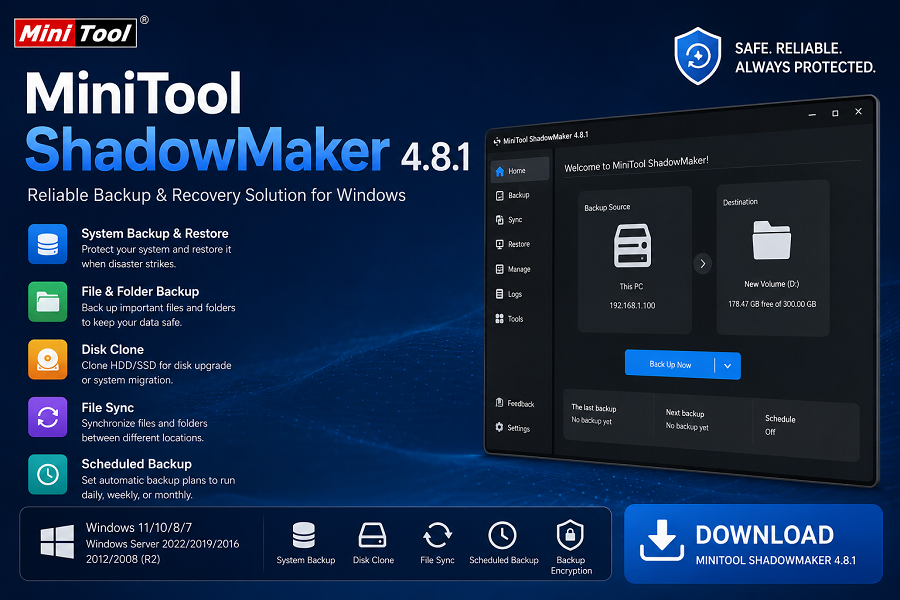
What is MiniTool ShadowMaker 4.8.1?
MiniTool ShadowMaker 4.8.1 is a professional tool for backups, recovery, sync, and disk cloning that was created by the MiniTool company. This application protects your critical data, OS, hard drive, or partition from accidental deletion, hardware issues, malware, and system crashes.
Using this tool, you will be able to create full system image copies, make backups of files and directories, clone your hard disk drive, sync your data, and recover your Windows in case something went wrong. This program can be used by both home and corporate users.
MiniTool ShadowMaker 4.8.1 Overview
It can occur at any point in time due to hardware failures, malware infection, formatting mistakes, or even system corruption. MiniTool ShadowMaker is an easy solution to take backups as well as restore them whenever required.
It has a simple interface that makes it very easy for users even if they are new to it. They can make an automatic backup schedule by just a couple of mouse clicks.
Main Features of MiniTool ShadowMaker 4.8.1
1. System Backup and Restore
Create a full backup image of Windows, including system files, drivers, installed programs, and settings. Restore your system quickly after crashes or boot failures.
2. File and Folder Backup
Back up important documents, photos, videos, and other personal files to prevent data loss.
3. Disk and Partition Backup
Protect entire hard drives or selected partitions by creating image backups.
4. Disk Clone
Clone HDDs and SSDs for system migration, drive upgrades, or creating exact copies of disks.
5. File Synchronization
Synchronize files and folders between different storage devices to keep data updated.
6. Scheduled Backups
Configure automatic backups to run daily, weekly, monthly, or based on specific events.
7. Incremental and Differential Backup
Save storage space and reduce backup time by backing up only changed data.
8. Bootable Rescue Media
Create a bootable USB drive or CD/DVD that can restore your system when Windows cannot start.
9. Universal Restore
Restore Windows backups to different hardware configurations after replacing a motherboard or computer.
10. Backup Encryption
Protect backup images with passwords and AES encryption for enhanced security.
What’s New in MiniTool ShadowMaker 4.8.1?
Version 4.8.1 includes several improvements and fixes:
- Multilingual Localization Improvements.
Loading screen hang-ups in AMD based machines fixed.
USB boot media bugs for revoked UEFI bootloaders fixed.
Secure Boot compatibility improvements.
Bootable Edition startup bugs fixed.
Bootable Environment display resolution improvements.
System Requirements
Minimum Hardware Requirements
- Processor: Pentium 1 GHz or higher
- RAM: 1 GB (32-bit) or 2 GB (64-bit)
- Free Disk Space: 5 GB recommended
- Internet connection for activation and updates (optional)
Supported Operating Systems
Desktop Systems
- Windows 11 (All Editions)
- Windows 10 (All Editions)
- Windows 8.1
- Windows 8
- Windows 7
Server Systems
- Windows Server 2022
- Windows Server 2019
- Windows Server 2016
- Windows Server 2012 / 2012 R2
- Windows Server 2008 / 2008 R2
Supported File Systems
- NTFS
- FAT16
- FAT32
- exFAT
- ReFS
- Ext2
- Ext3
- Ext4
Supported Storage Devices
- HDD
- SSD
- External USB Drives
- USB Flash Drives
- SD Cards
- Hardware RAID
- NAS Devices
- Home File Servers
Pros
- Simple user interface.
- Rapid backup and restoration processes.
- Ability to create automated backups.
- Cloning functionality supported.
- Bootable disc creation capabilities.
- Windows desktop and server system support.
- A variety of backup methods available.
Cons
- Some advanced features require paid editions.
- Large backups may require significant storage space.
- Advanced enterprise features are not available in the free version.
How to Install MiniTool ShadowMaker 4.8.1
- Download the setup file.
- Run the installer as Administrator.
- Accept the license agreement.
- Choose the installation directory.
- Complete the installation wizard.
- Launch the program.
- Create your first backup task.
Conclusion
Free Download MiniTool ShadowMaker 4.8.1 is a great solution when it comes to Windows backup and recovery software as it integrates all of these features into a single product, including system backup, disk cloning, file synchronization, disaster recovery, and bootable rescue disc creation. Regardless of whether you want to back up your files or create a complete image of your entire system, this application offers an efficient way to prevent any data loss or problems due to system failure or corruption.
Password: 123