

Quickly change the default location on your iPhone or iOS device with this simple and user-friendly app for Windows. Free Download EaseUS MobiAnyGo for macOS 8.1.0 offers a solution to the same problem here and offers a quick and easy way to place GPS on any iOS device without the need to jailbreak. Location tracking on your iOS device can sometimes be annoying. For example, consider a situation where you want to use a location-based application but are not comfortable sharing your original location, or you want to access content with geographic constraints. And of course, you may need to hide your original location for security purposes.
AnyGo 5 for Mac Description
Using EaseUS MobiAnyGo is easy by following some on-screen guidelines that can help you find the device from your iOS phone. Firstly, it is recommended to adhere to the conditions of the declaration since EaseUS MobiAnyGo must be used solely for your own privacy and cannot be used illegally.
Secondly, you have to connect the device to your computer using a USB cable. Once you have done that, the application will perform an automatic scan of the device and connect to the location service. The virtual location of the device will be found instantly.
EaseUS MobiAnyGo for macOS offers a simple and easy way to set up a virtual location on your iOS device. It’s easy to use, supports up to 5 devices, and allows you to adjust GPS movements at custom speeds.
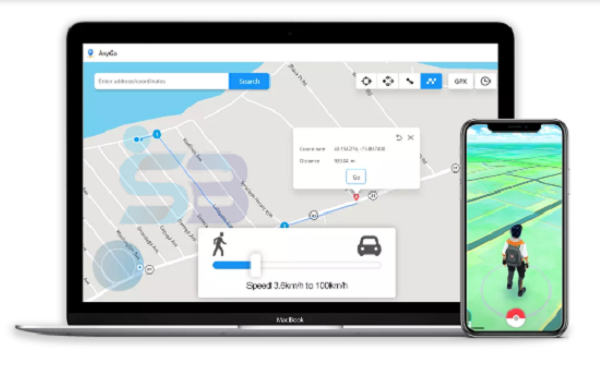
With AnyGo 5 for Mac, you have unlimited freedom to explore the map and get to know where your phone or computer is currently located. The location of the GPS point can be easily adjusted with just a single click. It is not only possible to move the GPS point across the map; you may even input the address or coordinates directly into the search box.
Moreover, there are two-point and multi-point modes where you can create the path and replicate the movements whenever necessary. Furthermore, the locations of the area can be effortlessly saved and loaded. Imagine the convenience of playing an AR game where the requirement is to stop the game. In reality, you will be positioned in almost no time by clicking just once.
Screenshots for AnyGo 5 for Mac

Features of EaseUS MobiAnyGo for macOS
- A few simple steps to place.
- Change your virtual location and create paths.
- Easily manage your virtual location.
- The area can be stored and loaded very easily.
Some Details of AnyGo 5 for Mac
| NAMES | DETAILS |
|---|---|
| Software Name | AnyGo 5 for Mac |
| Setup File Name | AnyGo_5.1.0_TNT.dmg |
| File Size | 29 MB |
| Release Added On | Thursday, April/30/2026 |
| Setup Type | Offline Installer |
| Developer/Published By | iToolab |
| Shared By | SoftBuff |
System Requirements for AnyGo 5 for Mac
| NAME | RECOMMENDED |
|---|---|
| Operating System: | Windows XP/Vista/7/8/8.1/10 |
| Memory (RAM) | 1 GB RAM (2 GB or more recommended for large ReFills or Rack Extensions) |
| Hard Disk Space | 100 MB |
| Processor | Intel Pentium 4 Dual Core GHz or higher |
| Machine | PC/Computer, Laptop/Desktop |
How to Install
| INSTALLATION INSTRUCTION |
|---|
| 1): Extract XEaseUS MobiAnyGo for macOS (RAR) file using WinRAR or WinZip or by default Windows. |
| 2): Open Installer and accept the terms and then install the EaseUS MobiAnyGo for macOS version program on your Windows. |
| 3): Now enjoy installing from this program (AnyGo 5 for Mac). |
Password: 123
Also check: